Shortcuts first
Create Siri and Apple Shortcuts actions for common Tesla controls.
iOS Shortcuts for Tesla
Frunkly turns common Tesla actions into native Apple Shortcuts, so climate, charging, trunks, locks, and vehicle status are a voice command or tap away.
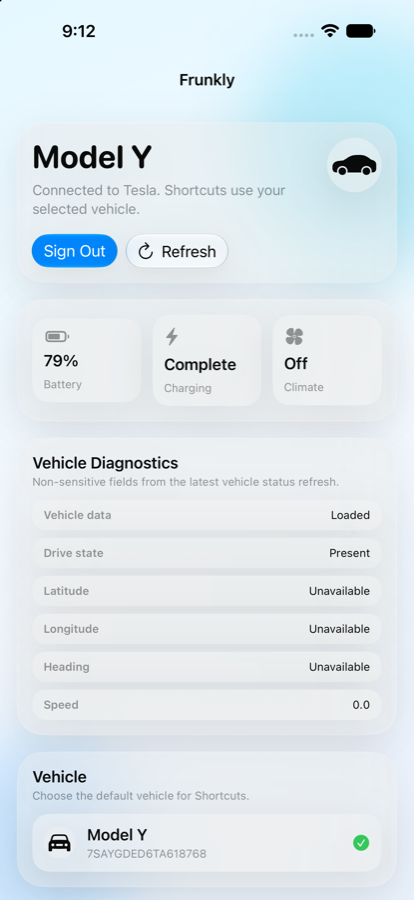
Built for owners who want reliable, repeatable automations without digging through menus each time they leave, arrive, charge, or check vehicle state.
Create Siri and Apple Shortcuts actions for common Tesla controls.
Vehicle access requires Tesla OAuth authorization from the vehicle owner.
Remote commands use Tesla Fleet API and virtual-key command signing.
Example actions
Frunkly is currently in personal MVP development and is not yet publicly available on the App Store.
Contact for setup or access questions